Review Comments (0) Screenshots (4) Questions & Answers (0) Votes (1) Awards (3) Wiki  
(1)
4.0.1.4166
www.joejoesoft.com
Freeware
42 people

The download link is unavailable now. Try visiting the developer's home page.

 
Video tutorial for ArsClip 3.2
Frame
Video tutorial for ArsClip 3.1
Frame
This video tutorial has been acquired from Downloadtube.com

Review

This is official description applies to version 3.2

ArsClip is a freeware utility for the windows clipboard. ArsClip monitors the clipboard and keeps track of the entries. Pasting is done by using a triggered popup window. This window can be triggered by a hotkey, holding right-click, a special trigger window, and other methods.
 
The following review written by one of the Software Informer contributors applies to version 3.1

ArsClip is a program that will allow you to manage all your clipboard content. By using it, you will be able to add text to your clipboard and keep up to fifteen different active entries, that you can later select and paste into another program.

The program will show you a detailed log that will list every action you have performed in your system since the program started.

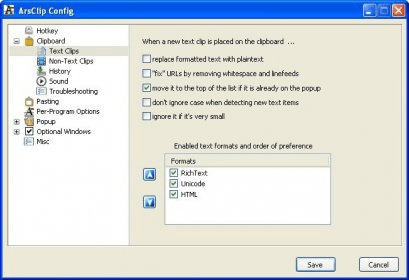
You can tune the performance of the program defining a large number of settings. It will allow you to define your own hotkeys, the way you want the program to manage your text or non-text items, how you paste the content of the clipboard, the appearance for the pop-up window, and if you want the program to play a sound each time you take a snapshot. The program can easily flush content off the clipboard to make room for more snapshots. You can edit the text items using its built-in text editor, in order to enhance the text before pasting it in another document.

ArsClip comes with an installation program, but you can just use it as a portable application, by running the .EXE that is included in the package.
  • It is free.
  • It covers all the needs that may arise when copying and pasting items repeatedly.
  • None.

Reviewer rating:

Reviewed: 2 years ago

What's new in version 3.1

New: Option to keep non-text items in a separate list
- Duplicate non-text clips now detected

New: Holding the right mouse button displays the popup
- RightClickDelay variable added to the ArsClip.ini text config file [defaults 600 milliseconds (0.6 seconds)]
- Added new "Program Options" setting to disable the right-click trigger for individual programs.

New: "Paste Selected" will combine and paste items as Unicode (when supported)
- Unicode text now displayed in "Paste Selected" dialog

New: "(Column Break)" item added to Show Order options

(EDIT)Fix: Display warning message if files data cannot be created
Fix: Workaround for crash when system tray icon triggered and display driver reset
- "OldTrayPopup" configuration option added to ArsClip.ini text file

Fix: Permanent Item global hotkeys incorrectly triggered by other programs/hardware
Fix: Errors when copying large, complex items [from programs like Excel]
Fix: Problem with Text Items format configuration
Fix: "Replace formatted text with plaintext" would alter some non-text items, like file copies.
Fix: Some data left on Edit History dialog after "Flush Everything"
Fix: Optional setup program updated
Fix: Minor GUI fixes for the configuration window
Fix: Missing tooltip for Recently Clicked items
Fix: Mimic Typing now works with AltGr generated characters
Fix: Some global hotkeys incorrectly triggered by other programs/hardware
Fix: "Clear" hotkey button not working for editing a Permanent Item
Report a wrong version Report a wrong program title Suggest a correction

Screenshots

Main window Main window Log Log Configuration Window Configuration Window Editing Screen Editing Screen

Latest comments


There are no comments, be the first one!
Add new comment

E-mail Address:

Password:

Register now »

Forgot password?

Sign in with:
Facebook Account
Download Software Informer Client
Copyright © 2012, Informer Technologies, Inc. About| Terms & Privacy| FAQ| Feedback & Support| For Developers